WOW: Suica Card Troubleshooting Highlights
The “In Transit” Trap: 99% of errors occur because a previous journey was not properly closed, locking the card status.
Intercom Survival: Learn how to communicate with remote staff at unstaffed stations using translation apps.
Cross-City Fixes: You can fix a Kyoto transit error in Tokyo; you do not need to return to the original station.
The “Fresh Start” Hack: If all else fails, spend the balance and replace the card in your Apple Wallet.
Trip Overview: Suica Card Error Quick Guide
| Scenario | Likely Cause | Immediate Solution |
| Red Light at Entry | Previous trip was never closed (“In Transit” status). | Find staff to reset the card status. |
| Red Light at Exit | Entry was not recorded correctly or delayed. | Inform staff of your entry station. |
| Unstaffed Station | Remote gate error. | Use the intercom (interphone) next to the gate. |
| Card Works for Shops Only | Transit status is locked but NFC is fine. | Visit any station ticket office to clear the log. |
Why Does My Suica Card Error Out?
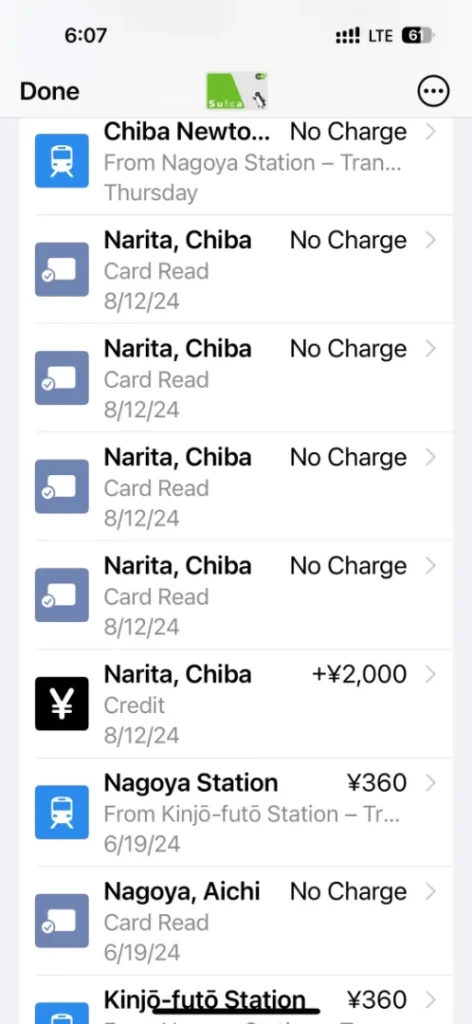
It is a common “traveler’s nightmare”: your phone has plenty of balance, and it works at 7-Eleven, but the subway gate turns red and locks you in (or out). Usually, this is not a phone hardware issue; it is a data synchronization error. If you don’t tap perfectly, the system thinks you are still “In Transit” from your last trip.
Step-by-Step Solutions
1. At Staffed Stations (The 10-Second Fix)
Don’t panic. Gate errors are routine for station staff.
- The Process: Find the small service window or staff member next to the gates.
- The Fix: Show them your Apple Wallet Suica screen. They will place your phone on a reader, click a few buttons on their computer, and your card is restored in about 10 seconds.
- Pro Tip: You can solve this anywhere! If your card glitched in Kyoto, a station attendant in Tokyo can still fix it for you.
2. At Unstaffed Stations (Using the Intercom)
If there is no “live person” in sight, look for the intercom device at the gate.
- How to Communicate: 1. Press the call button.2. Tell them “I am Chinese” or “English” immediately.3. Even if they use an AI translator, it might not understand you perfectly. Use a translation app on your phone, write down “My Suica isn’t working/I can’t exit,” and play the Japanese audio directly into the intercom.4. They will guide you to show your phone to the camera or perform a remote reset.
3. The “In-Transit” Check
If you aren’t sure why it’s failing, try tapping into any gate. Look at the display on the gate; it will often show text indicating which railway company’s journey was left unfinished. You can then find staff from that specific company to clear it.
The Final Resort: Start Fresh
If you are in a rural area or the error is unfixable:
- Spend the Balance: Use the remaining money at a convenience store (vending machines and shops usually still work even if the transit function is locked).
- Remove & Replace: Remove the Suica card from your Apple Wallet and simply add a new one. The new card will have a clean status and work immediately.
Essential Travel Tips
- Check the Prompt: Always ensure your phone shows the “Done” checkmark or haptic buzz before walking away from a gate. Delayed prompts can lead to exit errors.
- Stay Near Subways: Taxis are rare in snowy Sapporo or rural areas; keeping your Suica card functional is vital for getting around.
- Physical Cards: While digital is convenient, many Japanese locals still rely on physical cards for easier troubleshooting at small, rural stations.